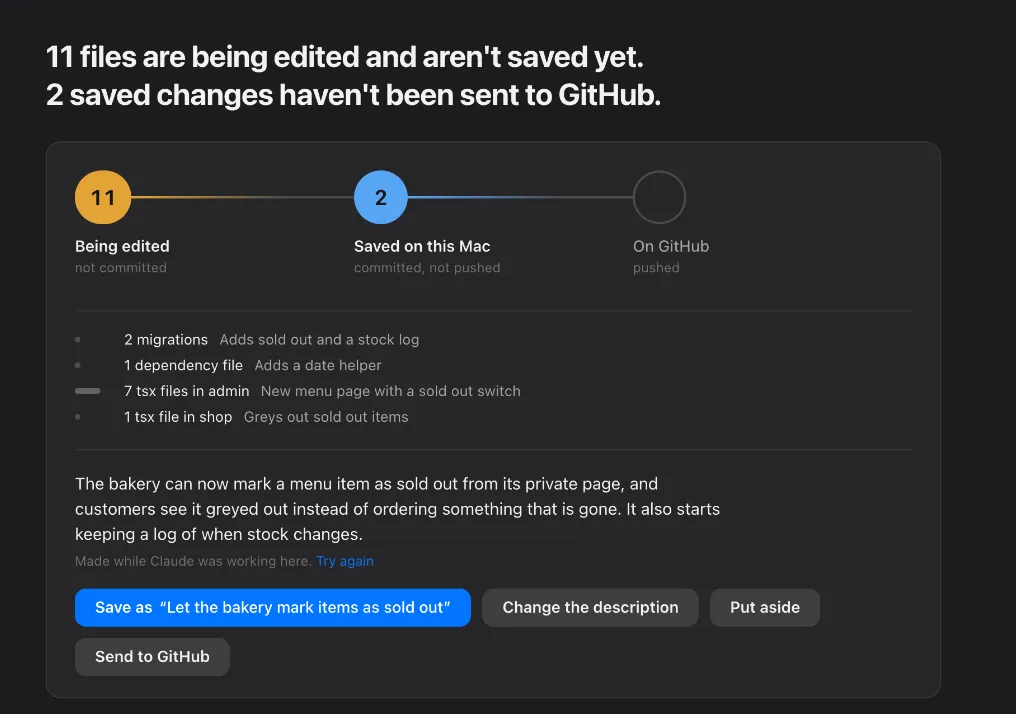
Git tools were built for people who type git. A lot of us don’t anymore. Claude writes the code, makes the commits, and pushes them, and what’s left for the person is one question: is my work safe, and where is it?
Sprig is a Mac app that answers that. Every project shows three places your work can be: being edited, saved on this Mac, and on GitHub. The words are plain. The git term is there on hover if you want it.
It rides on the Claude Code you already have
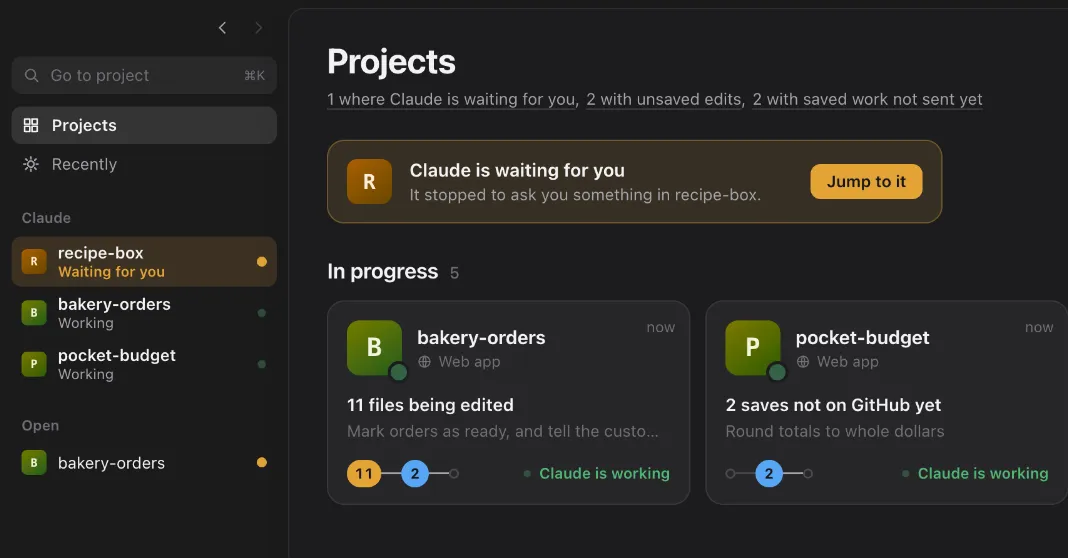
There’s no API key to paste and no account to make. Sprig notices Claude Code on your Mac and uses it. It asks your own Claude to explain what changed, in a sentence you can read without opening a file. It knows the moment a session starts, finishes, or stops to ask you something.
That last one turned out to be the feature I’d miss most. Run Claude in four projects and one of them is always quietly waiting on a yes.

Free for the first ten releases
Sprig costs nothing for its first ten feature releases, and anyone who installs it in that stretch keeps it free for good. The counter is public. How I got there, and the pricing idea I had to be talked out of first, is in the casework.